There are no shortage of screenshot snapping tools on the Mac but one of the best I’ve used is LittleSnapper from Realmac Software which has recently been updated to version 1.5. LittleSnapper makes it easy to snap screenshots and websites in a variety of ways but more importantly it helps you organise your snaps into collections for easy retrieval.
The capture engine has been re-written for 1.5 and allows for full screen and timed captures. The timed capture is a welcome addition as previous to 1.5 it wasn’t included which was frustrating. You can also snap an area instead of the full desktop and also a window. One nice feature is holding down shift when selecting multiple windows will create a separate snapped image for each window. Hold down cmd when selecting windows and only one image containing the selected windows will be created. The webpage snapping doesn’t just snap what is currently visible – LittleSnapper will snap the full web page which is great for keeping screenshots of inspirational sites as you surf. View the webpage within LittleSnapper and you can select individual elements of the page to snap which is far easier than selecting an area.
Your screenshots and images are held in a local library. Within the library you can organise by type (mockup, illustration, screenshot etc), folders and collections. Each image can be tagged too which makes it easy to find an image in a large library. I have a few collections for blog and website designs that I like and also for podcast album art. One tip is that you can move the LittleSnapper library to a disk location of your choosing. I’ve moved mine to my Dropbox account which means I can share my library across mac’s.
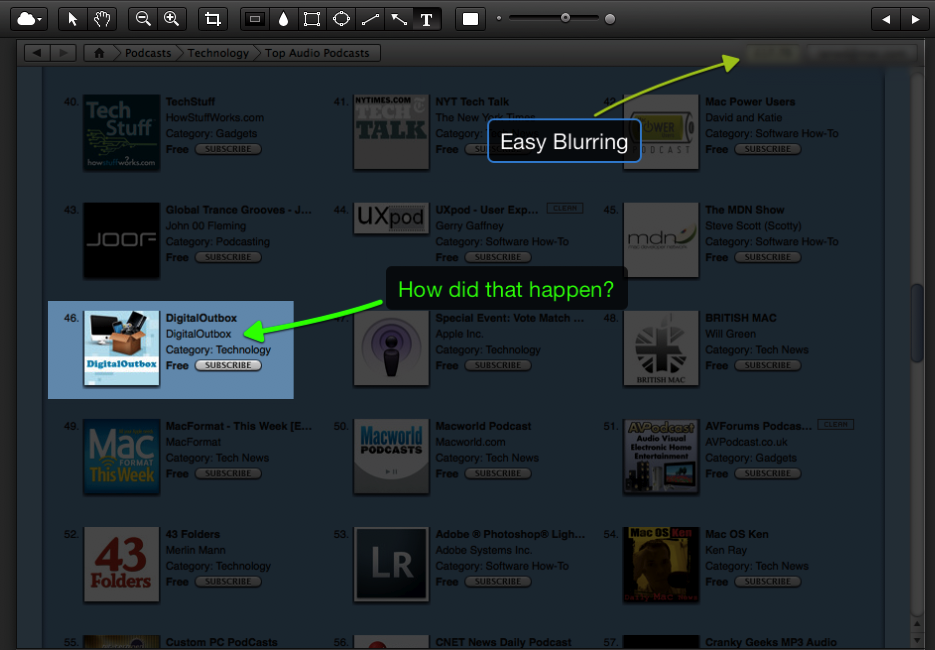
The editing tools allow you to crop the snap’s further and also add non-destructive edits like text, boxes, arrows and also the ability to highlight and blur out area’s. These are all available in one easy to use toolbar and are simple but quick to use.
You can export snap’s into local folders, an FTP account, Flickr or to Ember, the partner service to LittleSnapper. At first I dismissed Ember (formally called QuickSnapper) as a poor man’s Flickr clone in that you can upload images, favourite other images, follow other Ember users and make comments on images. Nothing too ground breaking really.
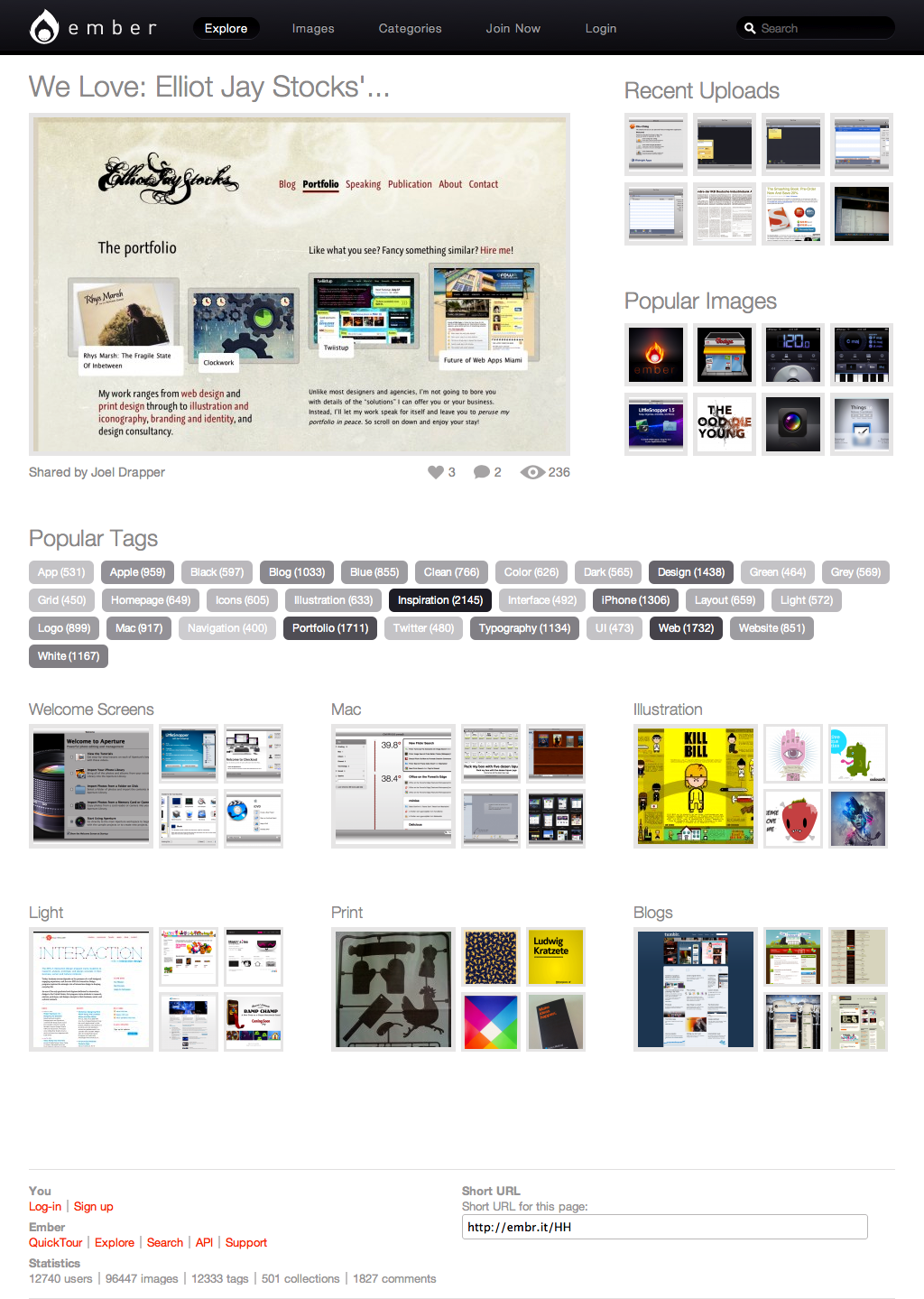
The difference is in the content uploaded and the collections that people are making available. The ember homepage will highlight an image liked by the developers and also give you access to popular images, recent images and also access to to groups of images via tags and collections. The screenshot above shows the homepage and also the ability of LittleSnapper to snap the whole web page, not just what’s visible via the browser.
The content is of more interest. It’s more focussed on web and application design with an abundance of great looking websites and applications being highlighted by the Ember community. Since the update I’ve found Ember to be a great go to site for design idea’s, more so than anything I’ve found on Flickr. It’s also easy to browse around the site by collections, tag’s or user and can be a real time sink.
Ember is free to use and upload to but the free account is limited to hosting three online collections and 30 uploads per month. You also see adverts while using Ember but these aren’t intrusive and for me the free account is more than enough. The pro account costs $24.99 per year and allows unlimited uploads and collections, removes the adverts and also gives you free upgrades to LittleSnapper. It’s important to note that you can use Ember without LittleSnapper and it is well worth a visit if your interested in web or application on any platform.
There are many competing screen capture tools like Skitch, Voila and Snapz Pro but I found LittleSnapper to be one of the best. Used alongside Ember it makes for a great capture and design resource.